Find out what is slowing your PC and what is eating your disk. With proof.
HogFinder names the program behind every CPU, memory and disk spike, shows how much space each app really takes, and cleans caches and leftovers with a dry run and an undo.
Download for Windows See what it doesFree. Windows 10 and 11, 64-bit. Window (about 20 MB of RAM) and terminal versions. No account, no telemetry.
What it does
Three things the usual cleaners do not combine: attribution, storage per app, and cleaning you can undo.
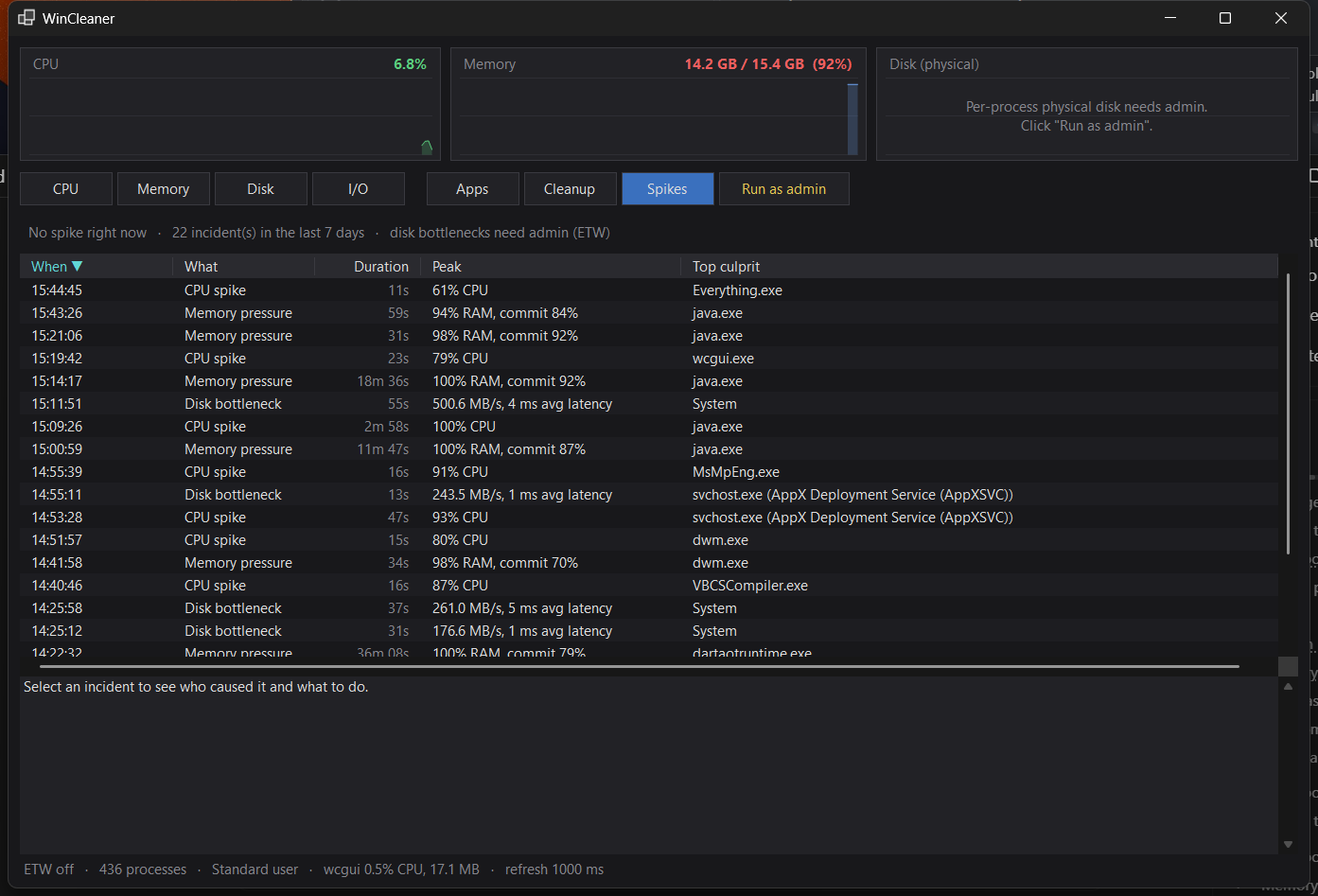
Names the real culprit
Not just "svchost.exe". HogFinder resolves it to the service it hosts, WMI host processes to the failing client, and WSL's memory to vmmem, then explains the cause and the safe fix.
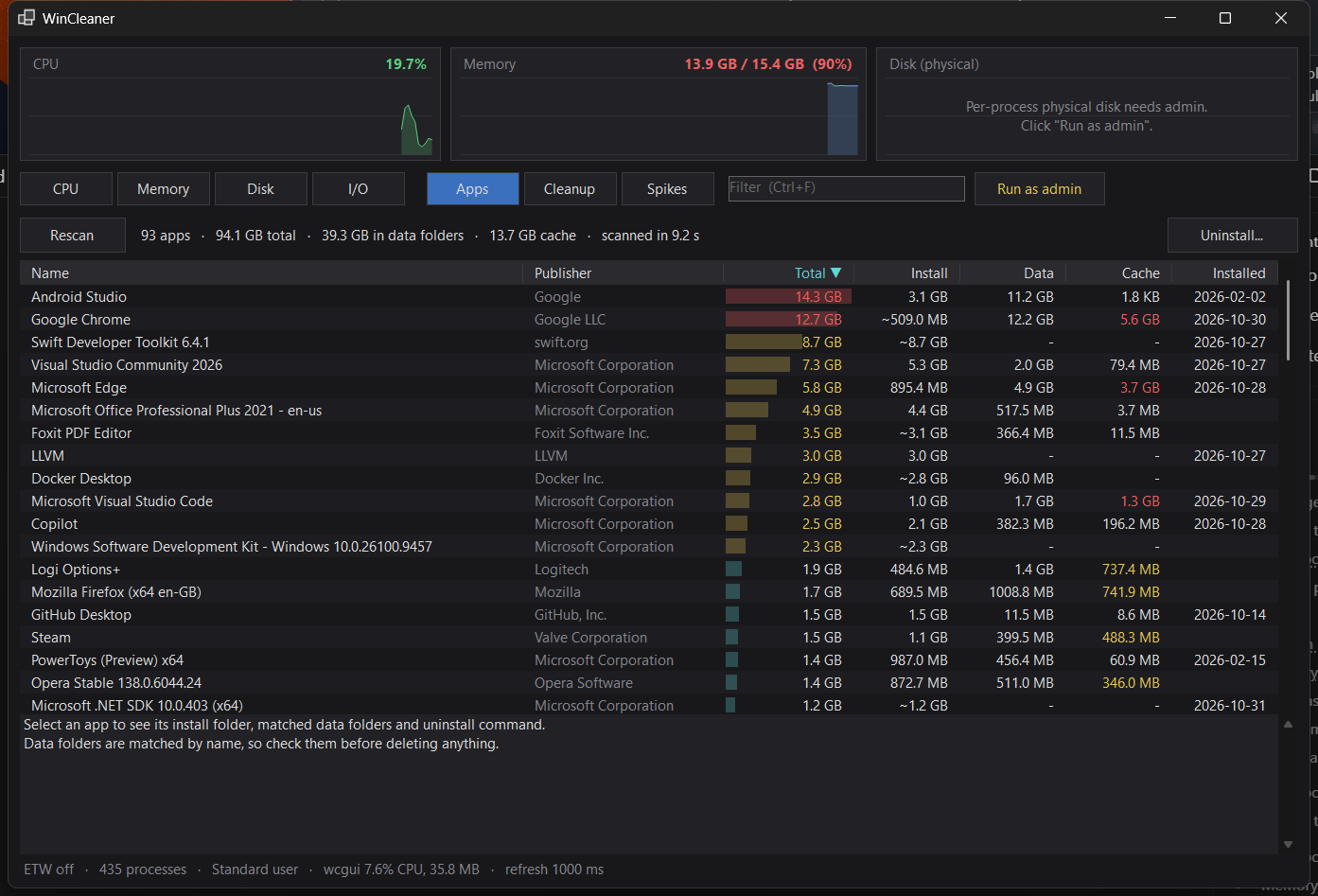
Space per app
Install size, data folders and cache for every installed program, so you can see that one browser holds 5 GB of cache, or that a removed app left 18 GB behind.
Cleans with undo
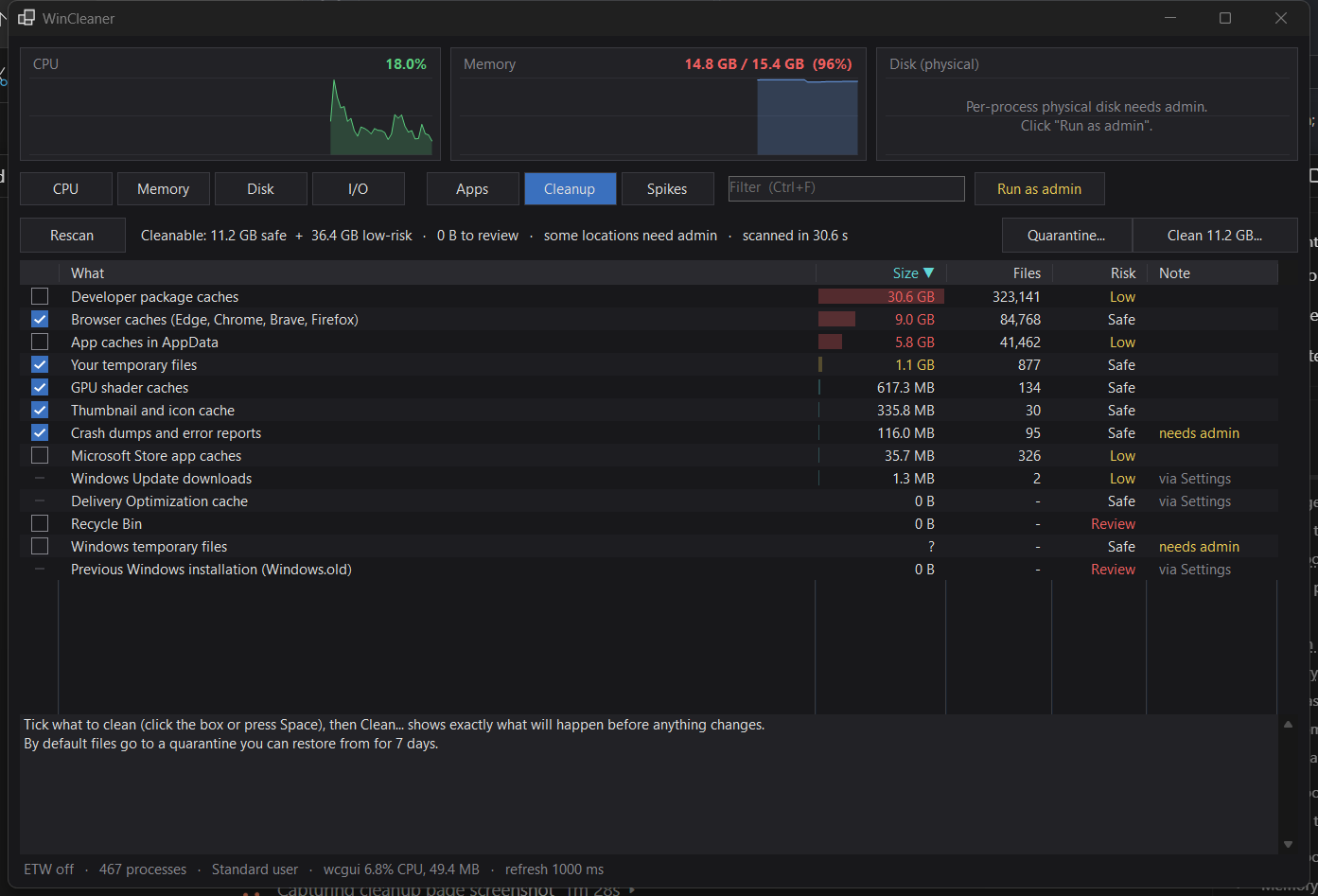
Temp files, browser and app caches, shader caches, crash dumps and developer package caches. A dry run shows exactly what goes. Files move to a quarantine you can restore for 7 days.
Uninstall and leftovers
Runs the app's own uninstaller, then finds the folders, shortcuts and registry keys it left behind. App data is never pre-ticked, and registry keys are exported first.
Live monitor
CPU, memory, disk (per process, as administrator) and I/O by program, grouped by app, filterable, with history charts. Both a window and a terminal UI.
Small and quiet
About 20 MB of RAM for the window and about 13 MB for the terminal version. Uses almost no CPU while you work.
Built so a clean never costs you something you needed
A cleaner earns trust by what it refuses to do.
Dry run first
Before anything changes you see the files, sizes and warnings per category. You confirm.
Quarantine, not delete
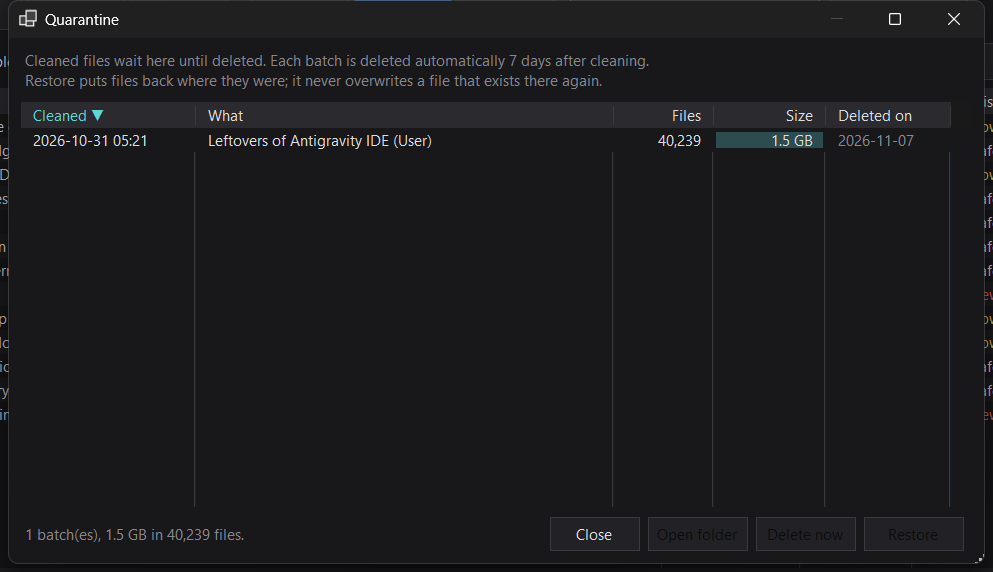
The default moves files to a quarantine folder and restores them to their original place for 7 days. Permanent delete asks a second time.
Running programs are left alone
A program that is running is never moved or deleted. The report names it and tells you to quit it, including its tray icon, then scan again.
Data folders are protected
Folders named "cache" that hold real data (Office unsynced files, Outlook cache, installer caches) are excluded.
No registry "optimizing"
HogFinder does not run a generic registry cleaner. Registry keys are only removed as leftovers of an app you uninstalled, and always exported first.
Everything is logged
Every clean, restore, delete and uninstall is written to a readable log on your own PC.
Free now, Pro planned
Everything above is free and stays free. Pro is not on sale yet: these are the plans so you can see where it is going. To be told when it opens, email us.
| Feature | Free | Pro (planned) |
|---|---|---|
| Live monitor, spike detection, Apps, Cleanup, Quarantine, Uninstall | Included | Included |
| Incident history | 7 days | 90+ days, trends and reports (HTML / CSV) |
| Scheduled and automatic cleaning, low-disk rules | - | Planned |
| Alerts when the same program keeps spiking | - | Planned |
Developer pack: old node_modules, Docker / WSL disk compaction, cache policies | - | Planned |
| Apply the fix for you, with undo | - | Planned |
Planned prices: $14.99 / year $34.99 lifetime for the current major version. 14-day Pro trial, 30-day refund. See the refund policy.
Questions
Is it safe to run?
It only changes things you tick, after a dry run, and moves files to a quarantine you can restore for 7 days. It never touches a running program's files, and it is open about what it removes. Read the safety rules, and keep a backup of anything precious as you would with any tool.
Does it need administrator rights?
No. It works as a normal user. Administrator unlocks per-process physical disk activity, disk bottleneck detection, Windows temp and crash dumps, and system-wide leftovers. The window has a "Run as admin" button.
Does it send data anywhere?
No. The current version makes no network connections and has no telemetry. See the privacy policy.
Why not just use Windows Storage Sense or another free cleaner?
Storage Sense cleans a few things but cannot tell you which program made your PC slow or how much space each app holds. HogFinder starts from that question and keeps the cleaning conservative and undoable.
Why did Windows or my antivirus warn about it?
A tool that reads processes, uses Windows event tracing and removes files looks like unwanted software to some scanners, especially when new. Check the SHA-256 checksum on the release page, and report any false positive so it can be cleared.
What does it not do?
It does not boost game performance, "optimize" the registry, or promise miracles. It tells you what is using resources and removes what is safe to remove.
Download
Windows 10 and 11, 64-bit. Includes HogFinder.exe (window) and hogtop.exe (terminal).
Download HogFinder All releases and checksums
Version [VERSION]. SHA-256 checksums are on the release page. Bugs and ideas: ihsanaqib.dev@gmail.com.